YOU'LL BE DONE IN A COUPLE OF MINUTES
Get Started with myRUC. Right now.
myRUC's private vehicle pricing makes setting up, managing and maintaining your Road User Compliance as cost-efficient and easy as it can be.
Get ready in three easy steps
Start using myRUC in 3 easy steps
The setup is designed to be straightforward. Download the app, purchase the digital display, then follow the guided setup flow to add your vehicle, enter your odometer, purchase distance, and update your display.
1. Download the free myRUC app
Your RUC information is always in your pocket
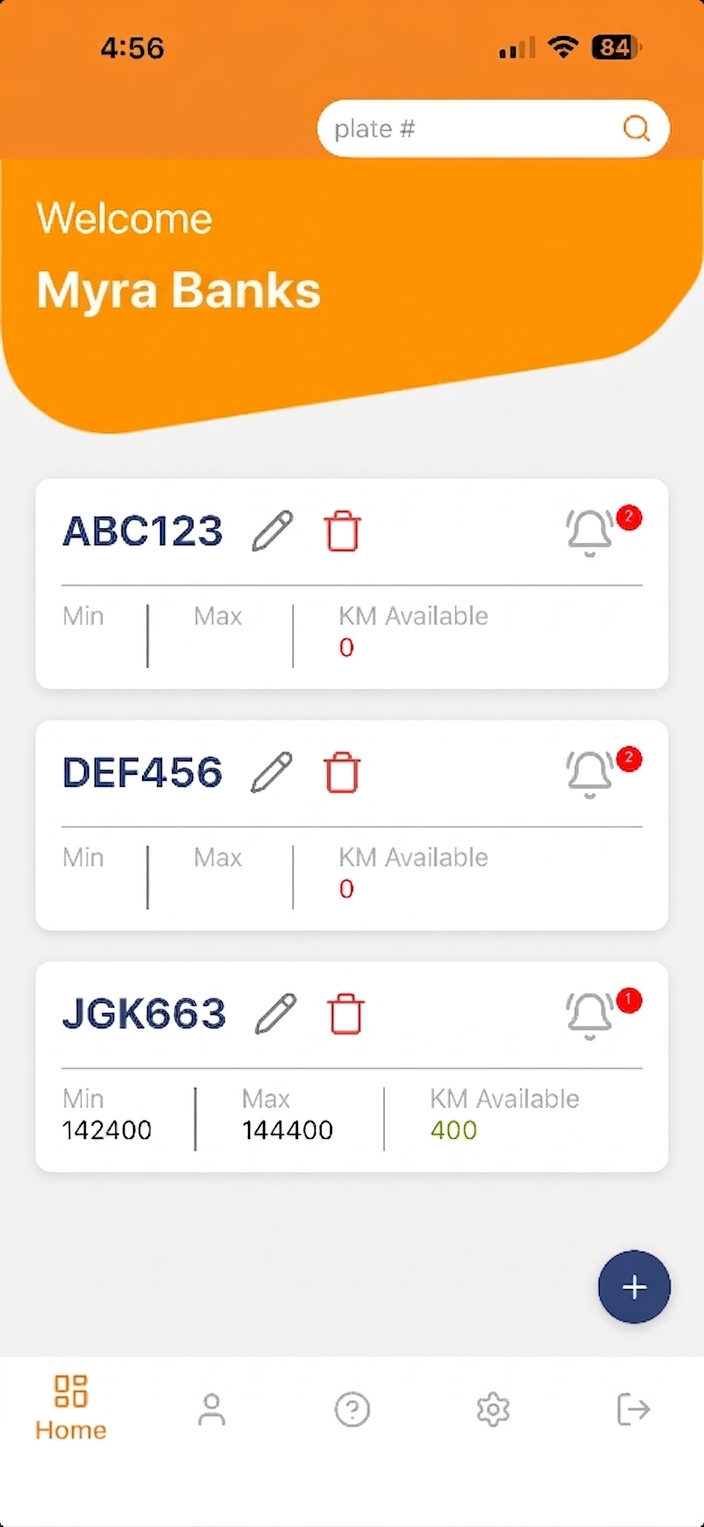
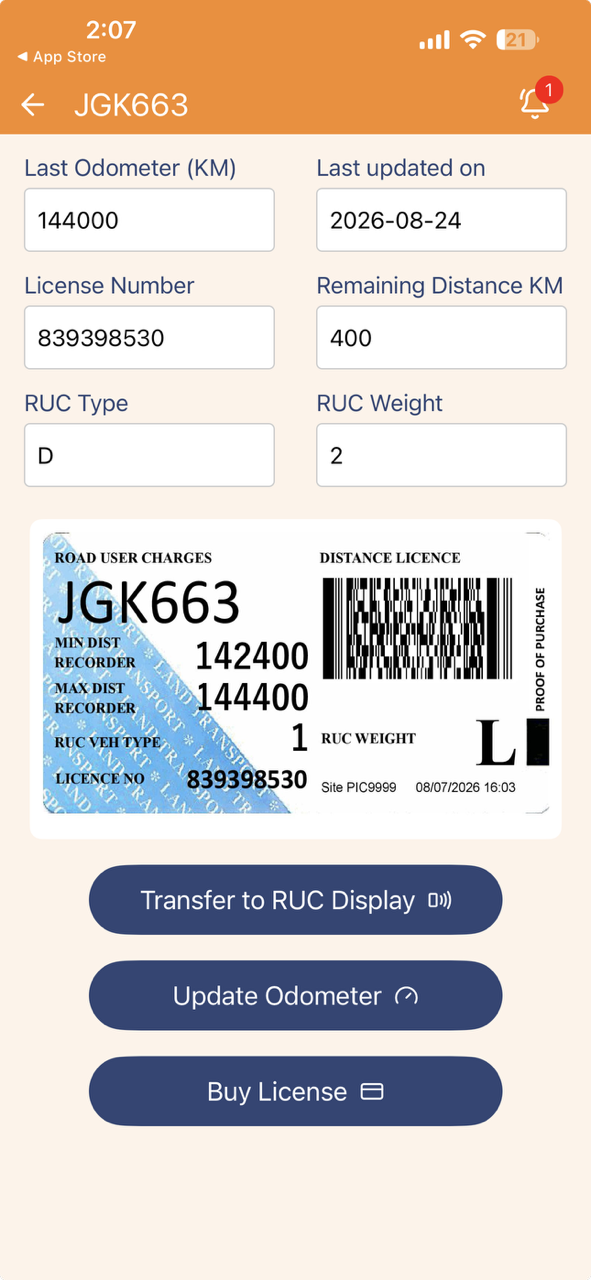
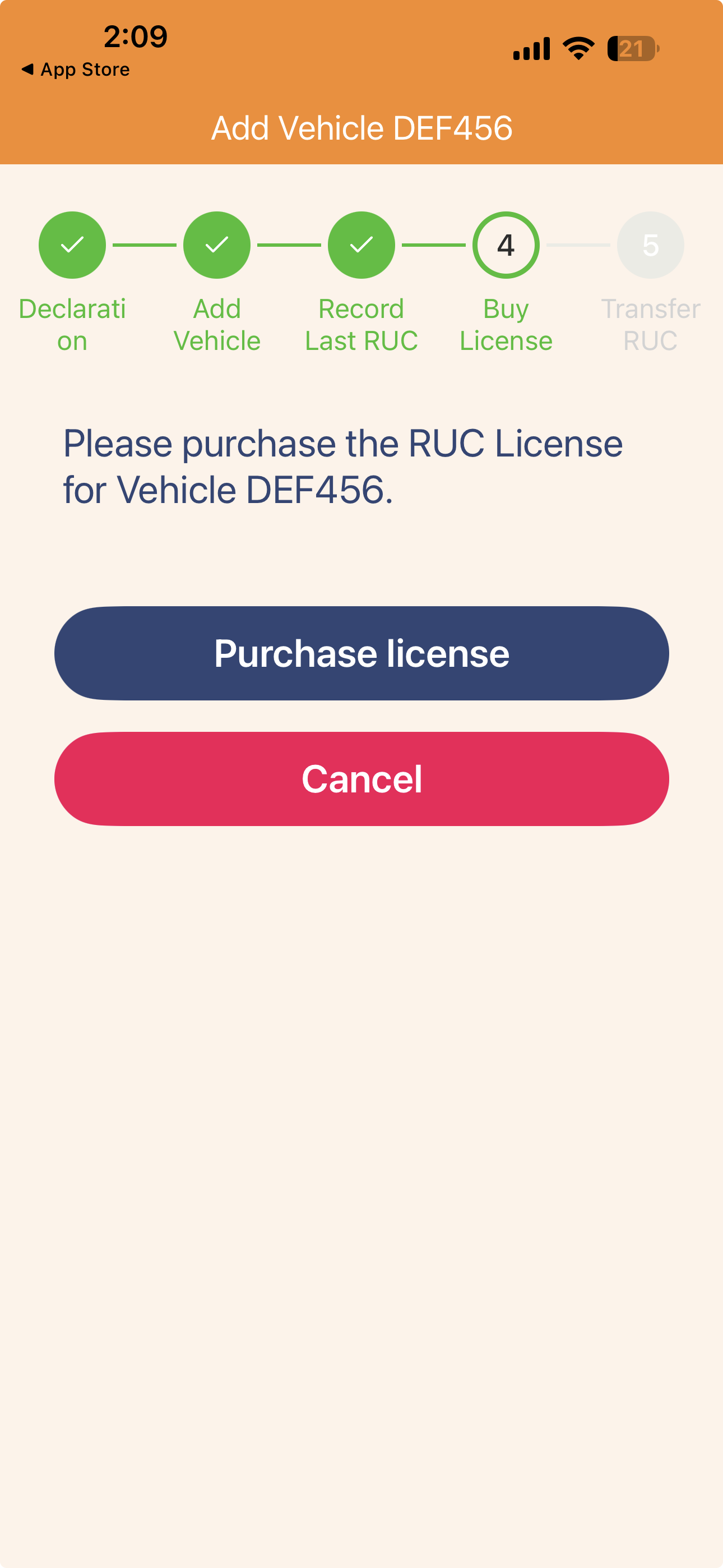
Start by downloading the free myRUC app from your preferred provider. You use the app to add and manage your vehicle, view your current RUC licence, purchase and renew RUC, receive reminders, and transfer your updated licence to the myRUC digital display.
Use the myRUC app to:
- Add and manage your vehicle(s)
- View your RUC licence
- Purchase and renew RUC
- Get reminders when renewal is due
- Transfer your updated licence to the display


2. Purchase your myRUC digital display
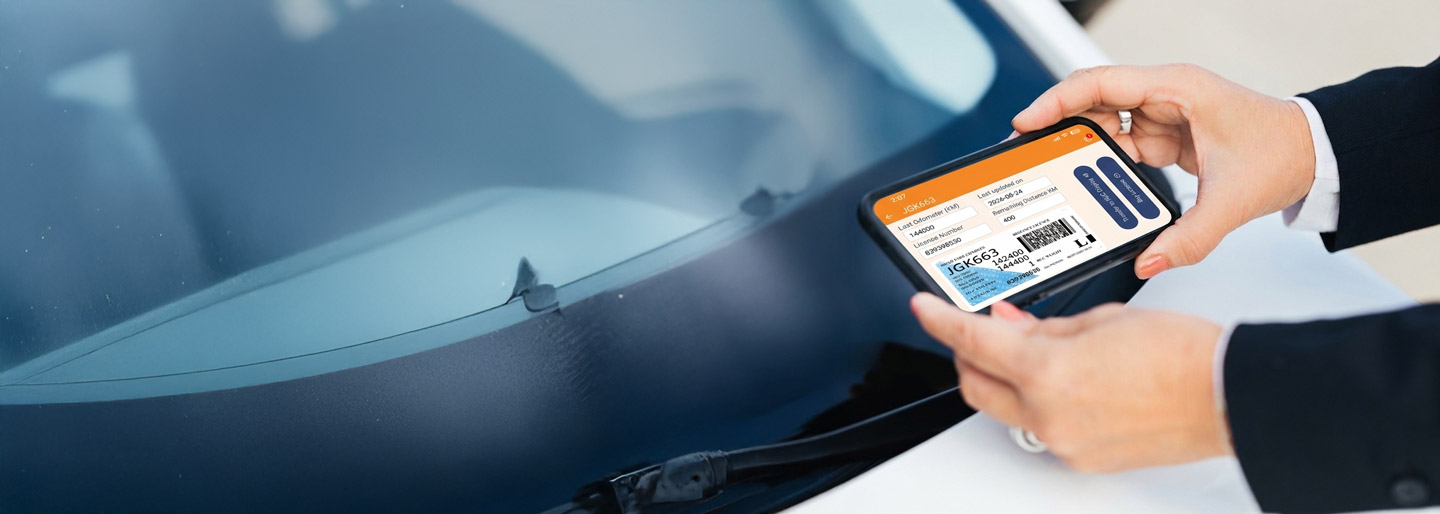
Replace the paper label with an always up-to-date digital display that clearly shows your current RUC licence.
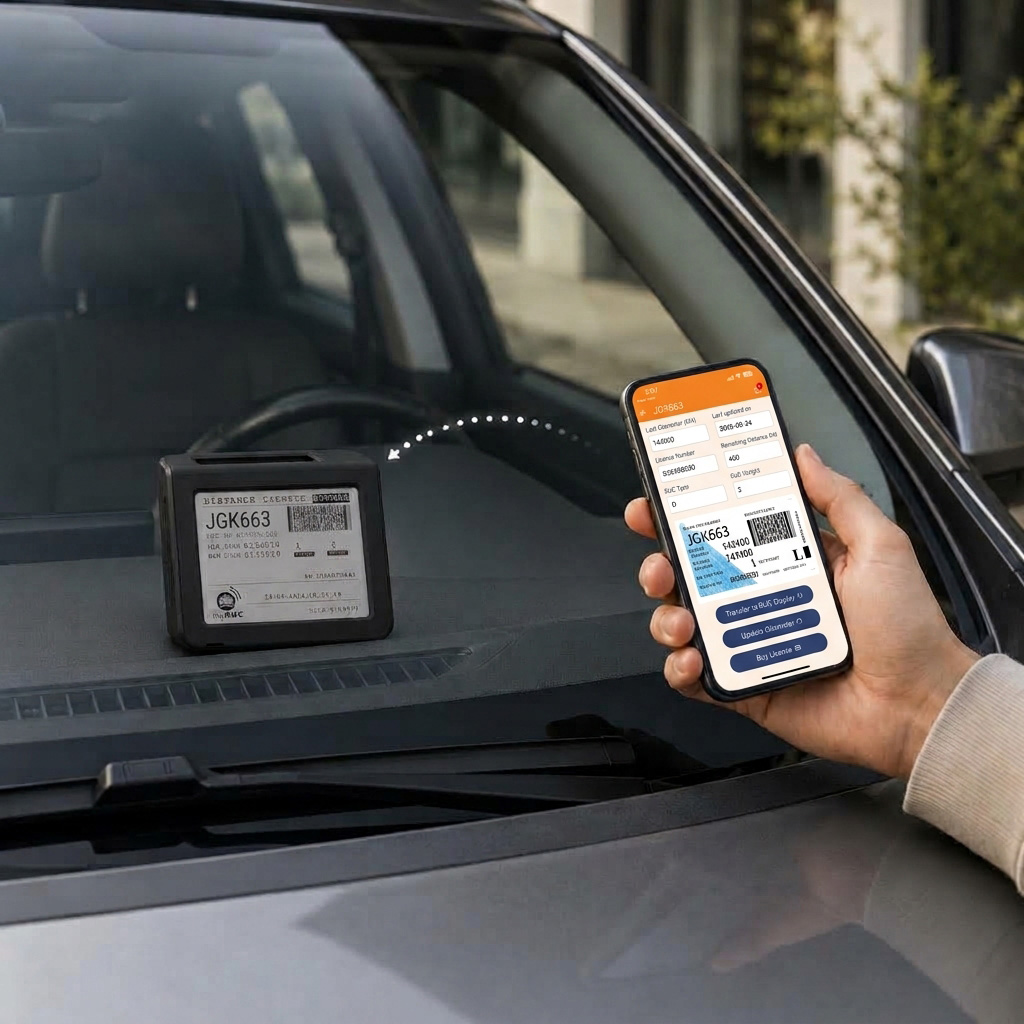
Peel, position and connect it to the inside of your windscreen – no professional installer required. Everytime you purchase RUC simply transfer the updated licence from your phone.
- NZTA approved for electronic assisted RUC
- Wireless and easy to install
- Fitted inside your vehicle’s windscreen
- Powered by a long-life, solar-backed battery
- Designed with a clear e-ink screen
- Built without GPS vehicle tracking
$285one-off purchase, incl. GST
Buy your myRUC digital display →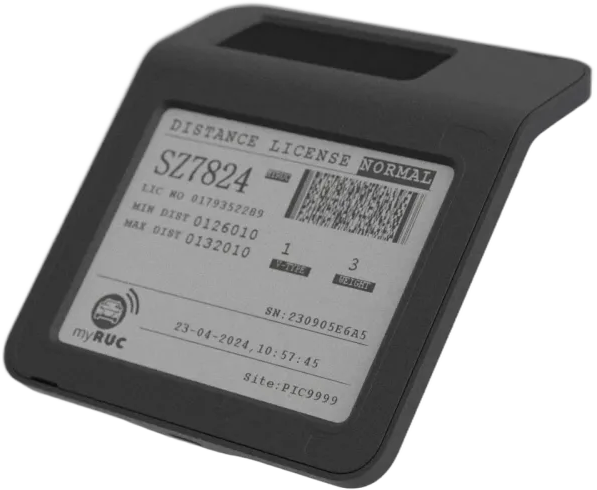
3. Set up myRUC and go
The myRUC app guides you through the full setup process
That’s it. Your current RUC information is available in the app and displayed inside your vehicle, and the app reminds you when it is time to check your distance and purchase more RUC.
- Create your account and add your vehicle
- Install your display inside the windscreen
- Enter the current odometer reading from your dashboard
- Purchase RUC distance in 1,000 kilometre units
- Transfer your updated licence to the display
RUC pricing that is crystal clear
Know what you will pay with myRUC

Download and use
Free myRUC App
Download the free myRUC app to manage end-to-end RUC compliance from your phone.

One off purchase
Digital Display
A one-off $285 incl. GST purchase for your myRUC Digital Display – no more paper.

Set by NZTA (Waka Kotahi)
RUC licence charges
RUC user charges will depend on the distance purchased and weight class of your vehicle.

For private vehicle compliance.
Next steps
Download the app, purchase your display, check the FAQs if needed.
Got a question? Call us on 0800 437 212 or use the contact page and we’ll point you in the right direction.