Support & answers
myRUC FAQs
Find quick answers about setup, digital displays, RUC renewals, pricing, integrations, and staying compliant with myRUC.
Questions we are frequently asked
12 questions
01 How does myRUC electronic RUC service work for private vehicle owners?
The myRUC electronic RUC service has three parts.
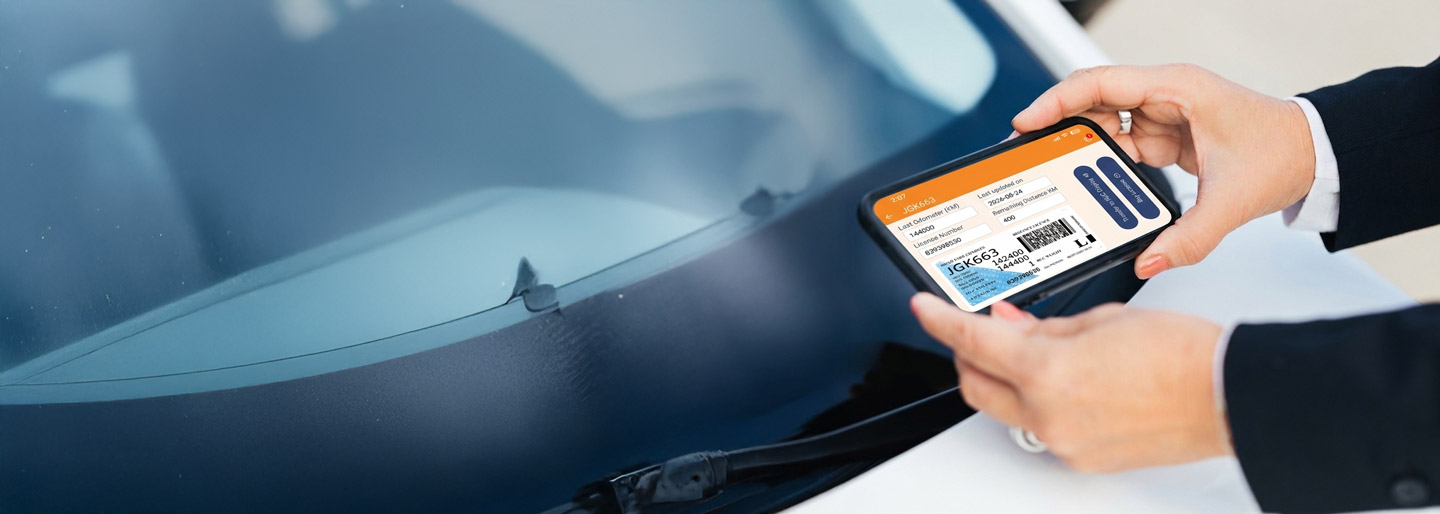
The first part is an electronic display facing outwards held inside the windscreen of your vehicle.
The second part is the myRUC app on your Android or IOS mobile.
The third part is the myRUC web portal which is how all three parts come together and where the connection to the app and NZ Transport Authority (Waka Kotahi) are kept. The portal holds all the details of the vehicle and the appropriate RUCs.
The app holds the current RUC, the payment portal, the current kms recording, the ‘Min & Max’ on the current licence and the ability to update the display as required. It also enables updating the kms to the on-dash odometer.
If you are a stand-alone myRUC user, this entry should be updated every few months.
02 How myRUC electronic RUC works for commercial vehicle owners?
If you own a light or heavy vehicle commercial fleet myRUC is in three parts:
The first part is an electronic display facing outwards held inside the windscreen of your vehicle.
The second part is a telematics unit (GPS tracker) installed in your light commercial vehicle – for heavy vehicles an approved electronic distance recorder is required – such as our RUC Monkey solution.
The third part is the myRUC web portal which connects all your vehicles to the NZ Transport Authority for automated RUC transactions. The portal holds all the details of the vehicle and the appropriate RUCs.
We have integrated partner GPS providers who can enable Auto-RUC purchase and renewals for you. If you own a Heavy Vehicle Fleet the exact cost of a myRUC deployment depends heavily on your contract length, fleet size, and the specific tier of software features you select.
03 Does myRUC also track my Private Vehicle using GPS?
No, the myRUC electronic RUC service does not have GPS so cannot track your private vehicle. If this is required, then myRUC can integrate with most telematics suppliers.
04 Can myRUC manage a fleet of EV/PHEV or Light Diesel vehicles?
For a Fleet Manager, we have a commercial light vehicle option which is a connected myRUC Digital Display. That means you have access to a web portal from which you can manage your RUC purchases/renewals.
Each administrator can be set up as a user in the myRUC portal, each with their own login and password. There is a recurring nominal myRUC service subscription fee to cover your commercial offering in addition to the RUC charges.
05 Which compliance rules does myRUC cover?
The myRUC electronic RUC service complies with all NZ Transport Authority RUC related rules and regulations including the new rules for EV’s and PHEV’s introduced in 2024.
It is also designed to comply with upcoming fleet wide RUC reforms.
06 How does myRUC pricing work for a Private Vehicle owner?
The myRUC app is free to download and use.
The myRUC Electronic display costs a one – off $285 incl. GST.
The RUC charges are from NZTA and vary according to the amount of kilometres purchased each time and the weight class of your vehicle.
Specifically for light electric/diesel vehicles
– The RUC rate is $76.00 per 1000km
– For plug-in hybrid electric vehicles (PHEVs), the rate is $53 per 1000km for diesel and for PHEV petrol types it is $38.00 per 1000km.
Note: In addition to the RUC charges above – there is a myRUC administration fee of $8.90 (incl GST) per transaction.
07 How does a Private Vehicle owner pay for RUC via the myRUC app?
The myRUC electronic RUC service payments can be made within the myRUC app usng the secure open banking payment gateway Blinkpay – a Bank of New Zealand subsidiary.
Blinkpay establishes a secure connection to your bank within the app and allows you to pay directly from your own bank account. It is secure, quick and makes your RUC payments really easy.
08 Can myRUC manage trailers with mechanical hubbos?
The myRUC heavy vehicle solution gives you the ability to track your trailer and automate your RUC payments. In addition it will be provide GPS tracking of the asset, which enables you to automate your offroad refunds as well. If you don’t have a mechanical hubbo off your own we can include a RUC Monkey electronic distance recorder solution as part of your package.
09 Can the GPS tracking device in my vehicle enable electronic RUC management?
Light commercial vehicles with GPS tracking can simply and easily manage electron RUC payments through myRUC. All it takes is a myRUC digital display that integrates into your GPS tracker.
If the GPS tracker is with one of our partners – the integration happens automatically. OR you can purchase our GPS tracker OR talk to us about integrating your existing GPS provider.
10 As a Private Vehicle Owner how often do I need to purchase RUC?
You just buy via myRUC the estimated kilometres. As a starting point we recommend you purchase 2000kms per instance.
You can then track on your myRUC digital display and speedometer dashboard, your remaining kilometers and purchase your next 2000kms as required. Else, you simply need to check once a month/quarter, your on-dash odometer reading and ensure that you buy a top-up.
11 If I change phones from Apple to Android (or vice versa) does myRUC still work?
Yes, the same credentials can be used on either Apple IOS or Android. You just the download the app and login as per usual on your new phone. Yay.
12 Does myRUC automate off-road refunds for Heavy Vehicles?
Absolutely. If you have an approved partner telematics unit or a RUC Monkey distance recorder, myRUC back office system automates your off-road refunds process as part of your standard subscription.
If your telematics unit isn’t from an approved partner – please reach out – it could be in development.
No matching questions
Try another search term or choose a different topic.

Still need a hand?
Talk to the myRUC team
Ask us about your vehicle, fleet setup, RUC renewals, or connecting myRUC to your existing systems.